Standard and up
Delivery types and collections
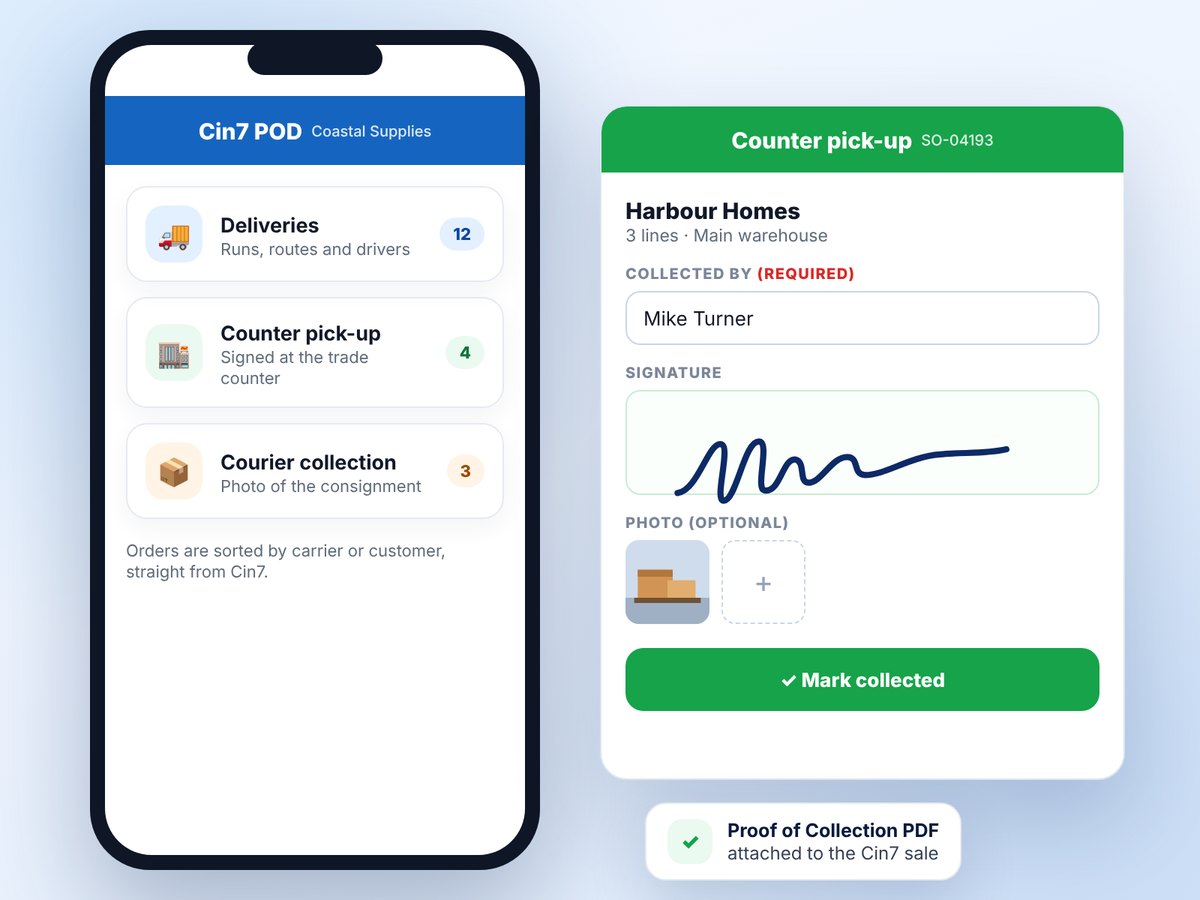
Counter pick-ups and courier collections get their own button, list and proof rules, with a Proof of Collection PDF on the sale.
Learn moreCapture signatures, photos and GPS on the driver's phone — and sync it straight back to your Cin7 orders.
Already using Cin7 POD? Log in here →

Australian owned & supportedMade in Brisbane
Built by Cin7 Core consultants25+ years of ERP projects
In daily use by delivery teamsDrivers on the road every day
14-day free trialNo credit card needed
Cin7 POD captures it at the door and puts it straight onto the Cin7 sale, so nobody has to chase it.
The moment the driver taps Delivered, Cin7 POD builds the proof, files it on the sale and tells everyone who needs to know.
| Item | Sent | Rec'd | |
|---|---|---|---|
| Render 20 kg bag | 40 | 40 | ✓ |
| Fibreglass mesh 1 m roll | 6 | 6 | ✓ |
| Corner bead 3 m | 24 | 22 | ! |
Cin7 Core stays your system of record. Cin7 POD handles everything between the warehouse door and the customer's signature.
When a Cin7 sale is picked, packed or shipped (you choose), it appears as a delivery. Sync runs every five minutes.
Group deliveries into a run, pick the driver and vehicle, optimise the route, and print the run sheet and picking slip.
Signature, photos, quantities received and GPS on the phone. The customer gets on-the-way and delivered messages.
The POD is attached to the sale, the fulfilment completed, shortages credited and, on Enterprise, the invoice emailed.
Most of the work happens on a phone at the customer's door. The rest happens at a desk. Both get a screen designed for the job.
Big buttons, clear steps and nothing to configure on the phone. If proof is missing, the driver sees exactly what's still needed.

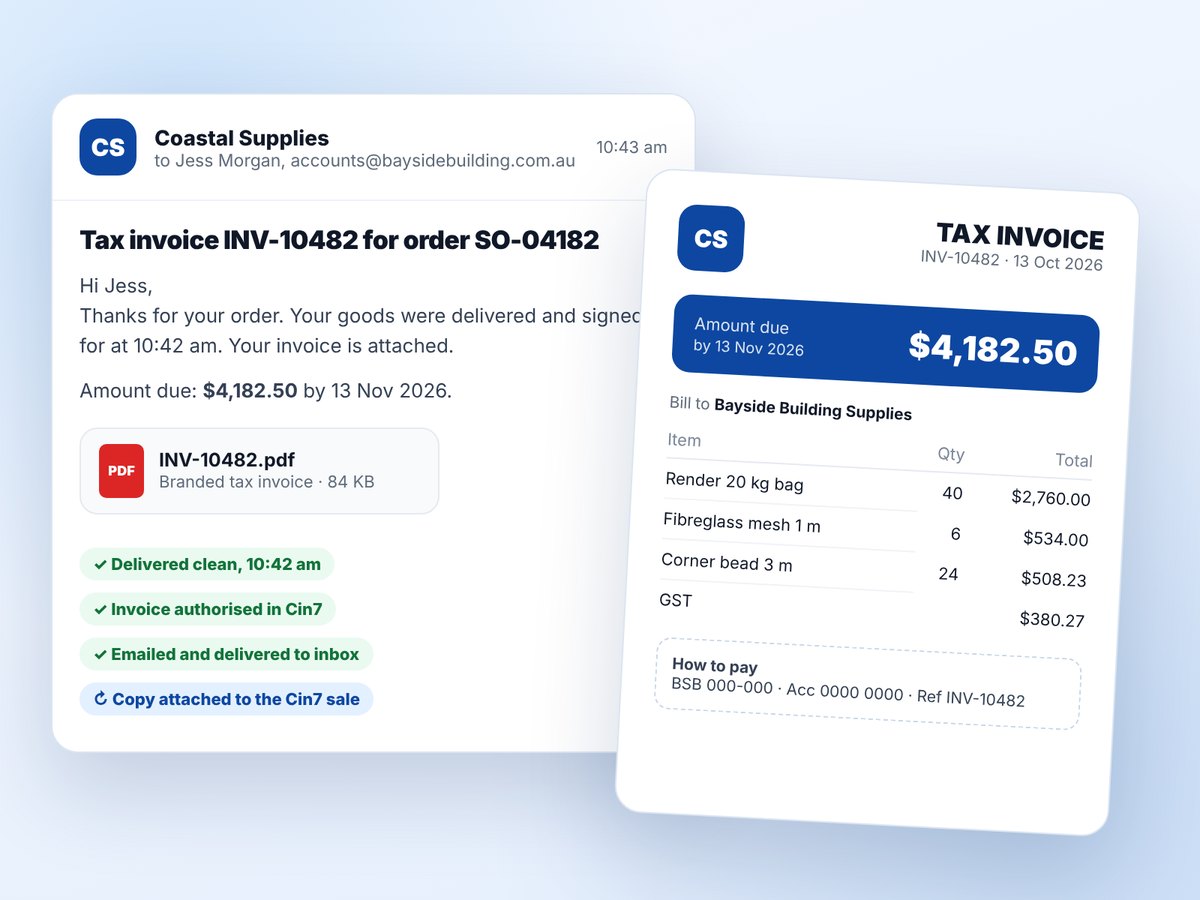
After a clean delivery, Cin7 POD authorises the invoice in Cin7 and emails your branded PDF to the customer. Faster invoices, faster payment.
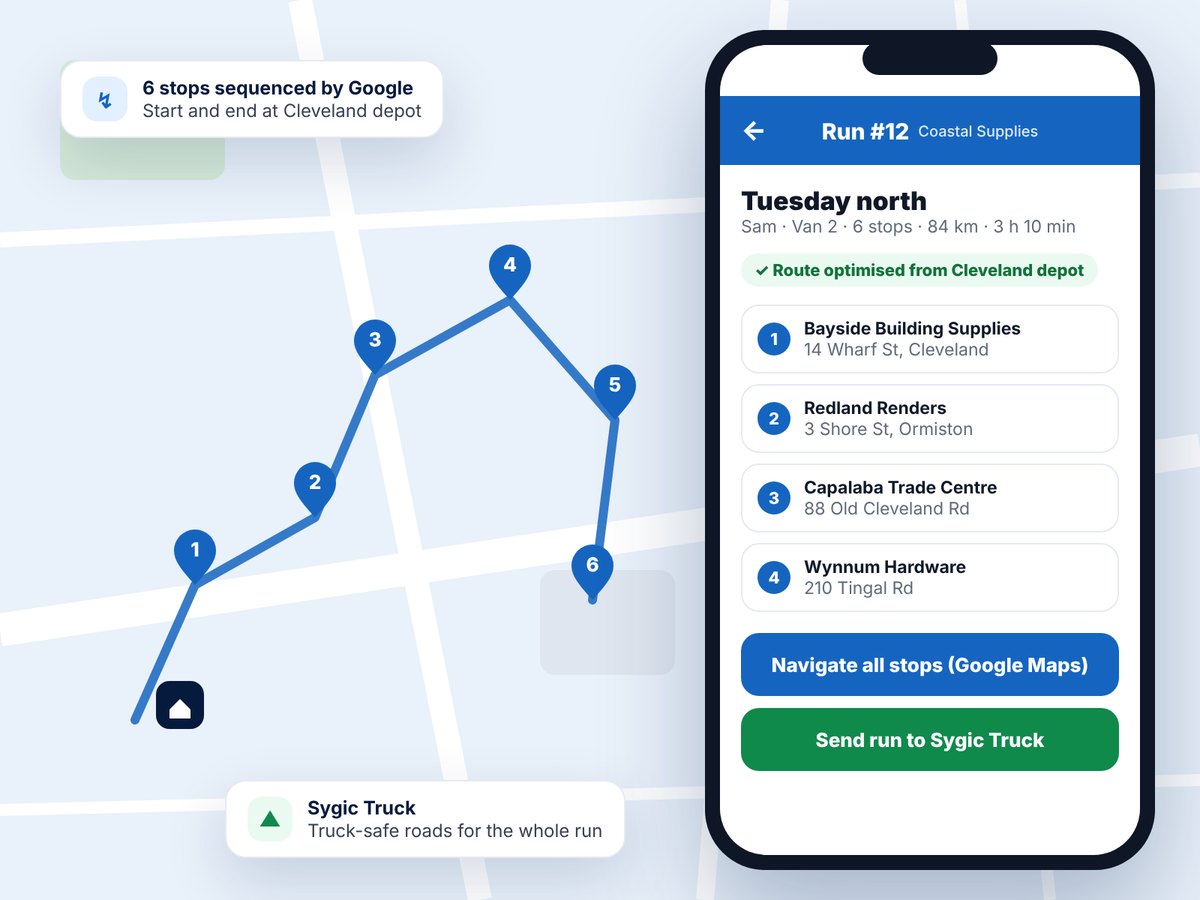
Build the day's runs in a wizard and let Google put the stops in the best order from your depot. Truck drivers can send the whole run to Sygic Truck.
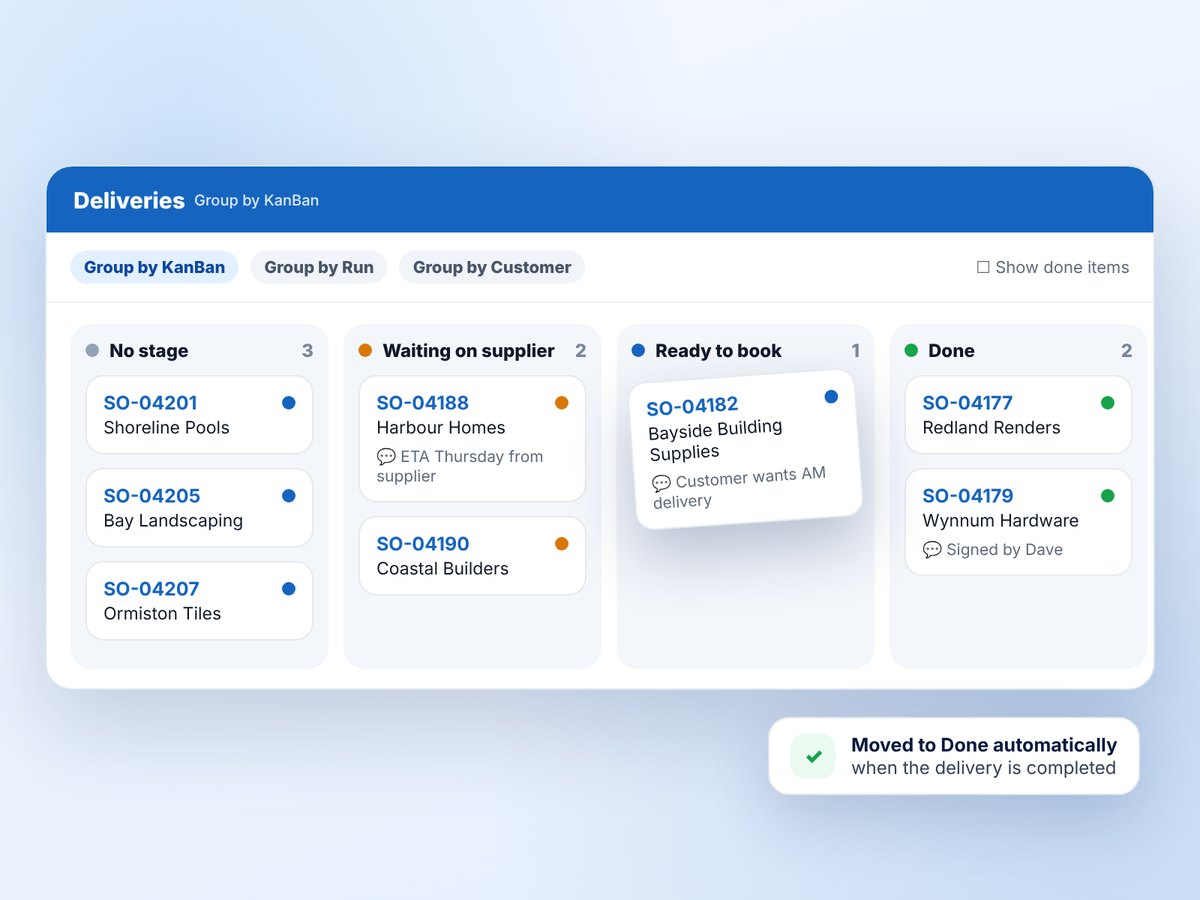
Drop-shipped, oversized or waiting on a supplier? Move orders through your own stages before they go on a run.
Collections, documents, picking and vehicle checks: the parts of a delivery day that usually live on paper.
Counter pick-ups and courier collections get their own button, list and proof rules, with a Proof of Collection PDF on the sale.
Learn more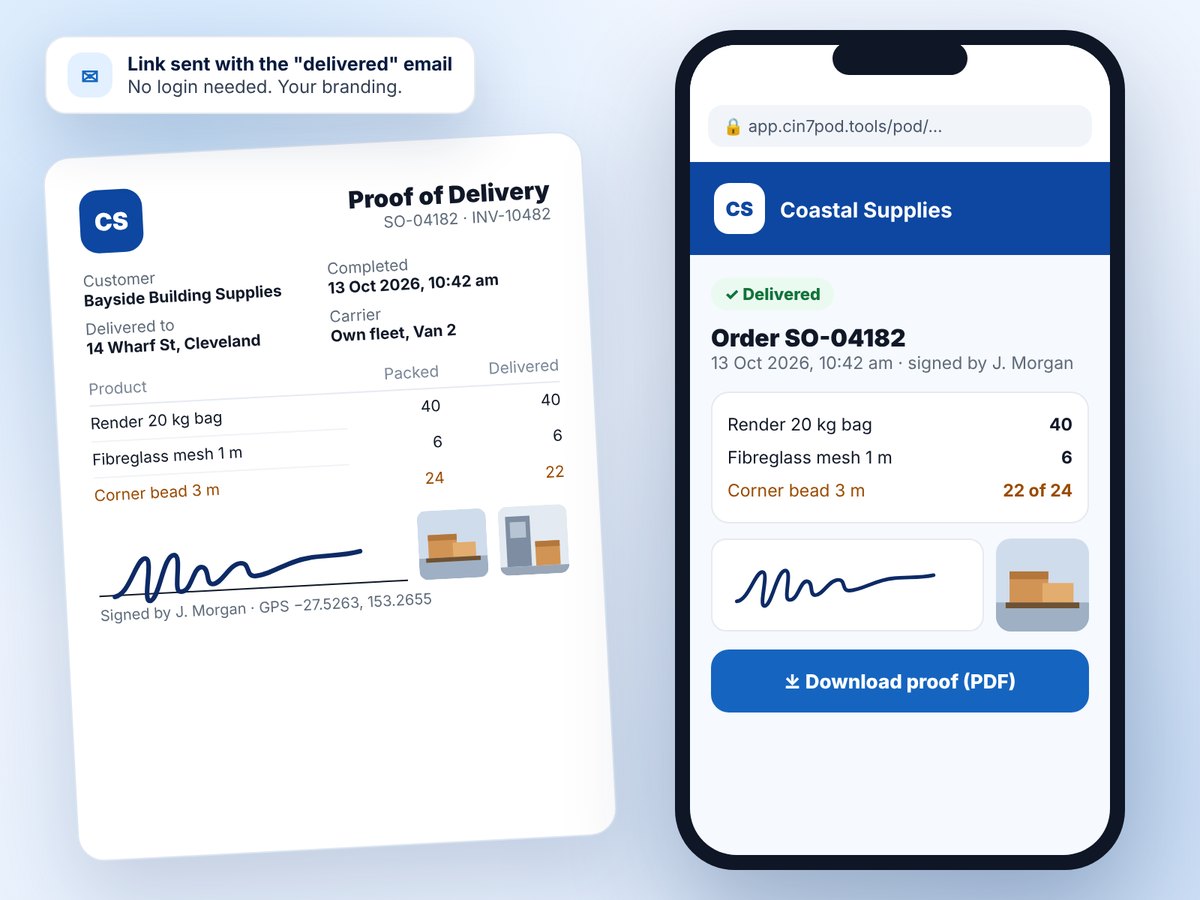
Every delivery gets a branded PDF on the Cin7 sale, and a secure page your customer can open from the delivered email. No login needed.
Learn more
One picking list for the whole van, then what comes off at each stop. Barcodes on the run sheet open the run or the order.
Learn more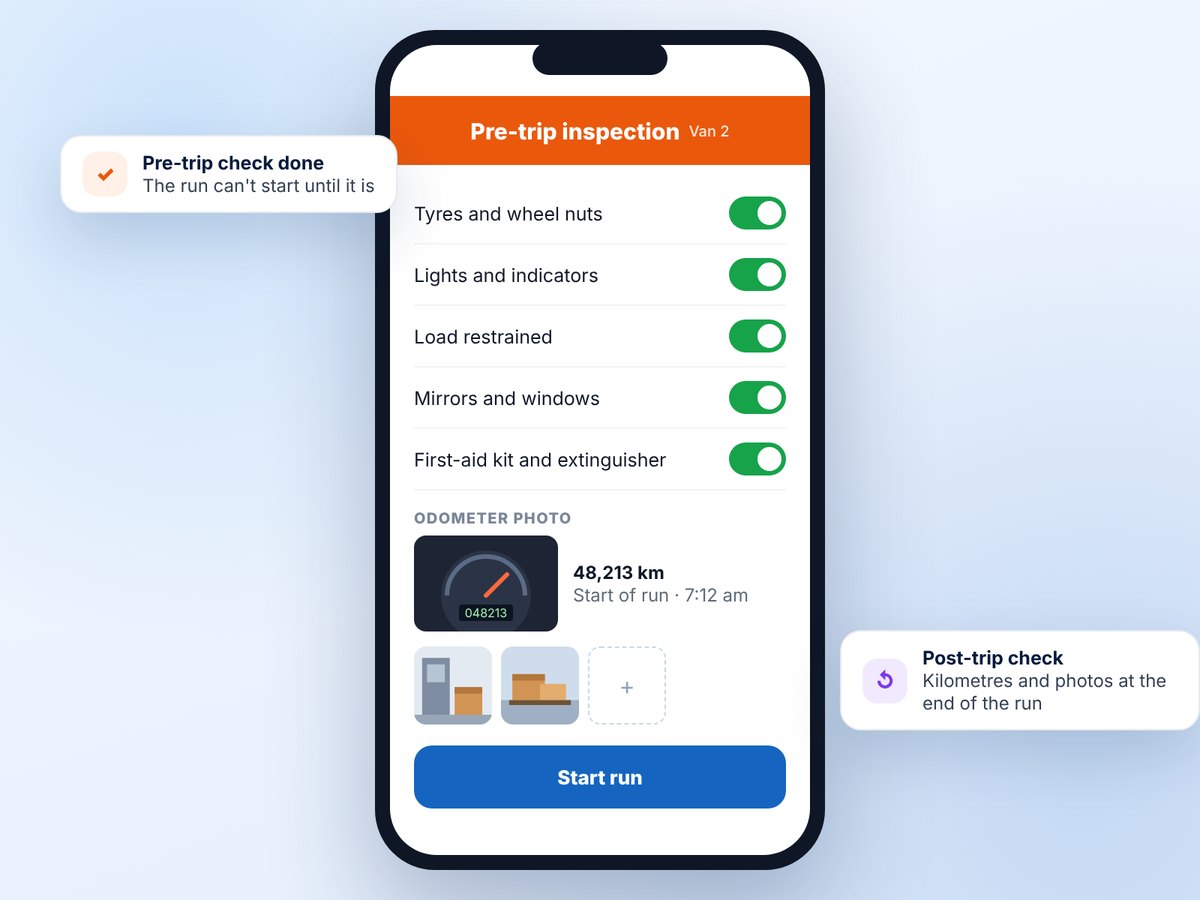
Vehicle checklists before the run starts, plus kilometres, run time and vehicle photos. Post-trip checks close the run off.
Learn moreMost of these started as a request from a team using Cin7 POD every day.
Short and damaged lines raise a Cin7 credit note, checked by the office or sent straight through.
All plansOn-time and first-attempt rates, delivery times, proof completeness and a driver table, with Excel export.
All plansOut for delivery, delivered and failed messages by email or SMS, each with the POD link.
Email from GrowthScan products against the order, or scan the run sheet to open the right run or job.
Standard and upOne sale shipped with several couriers or from several warehouses becomes one delivery per part.
NewCopy PODs and photos to your own Google Drive, SFTP or FTP server, and use your own web address.
All plansCollect a Cin7 purchase order or stock transfer on the run, record what came, and put the Proof of Pickup on the PO.
New Enterprise · add-on for StandardComments typed on the Cin7 sales order lines reach the driver, the run sheet and the picking slip.
All plansArchive, restore or delete runs in bulk, from the card or grid view.
All plansCin7 POD is made in Brisbane by Software4Business. We've spent more than 25 years implementing ERP systems for wholesalers, distributors and manufacturers, and Cin7 Core is what we do every day.
So the app follows Cin7's rules instead of fighting them: one delivery per fulfilment, credit notes only against an authorised invoice, and nothing written to Cin7 without showing you what happened.
Plans from US$49 a month for one driver, up to US$399 for a full fleet with unlimited deliveries. Every plan includes the driver app, Cin7 write-back and delivery runs.
Start a 14-day free trial and connect your Cin7 Core account in a few minutes, or request a 30-minute walkthrough and we'll set it up with you.