Every step from Cin7 order to signed proof.
Cin7 POD covers the driver's phone, the dispatch desk and the write-back to Cin7 Core. Here's everything it does, and which plan it's on.
Driver app
All plansThe driver gets one screen per delivery, with big buttons and nothing to set up on the phone. It installs from the browser on iPhone and Android and opens full screen like any other app.
- Complete as fully delivered, short (by quantity), damaged or not delivered
- Signature on the screen, photos (2 to 10 per delivery, by plan), notes, quantity received per line, GPS and time
- Make signature, photo, notes or quantity confirmation mandatory. The buttons stay locked until they're done
- Scan products against the order with the camera or a scanner (Standard and up)
- Exception alert: the driver emails the office about a problem without closing the job (Standard and up)
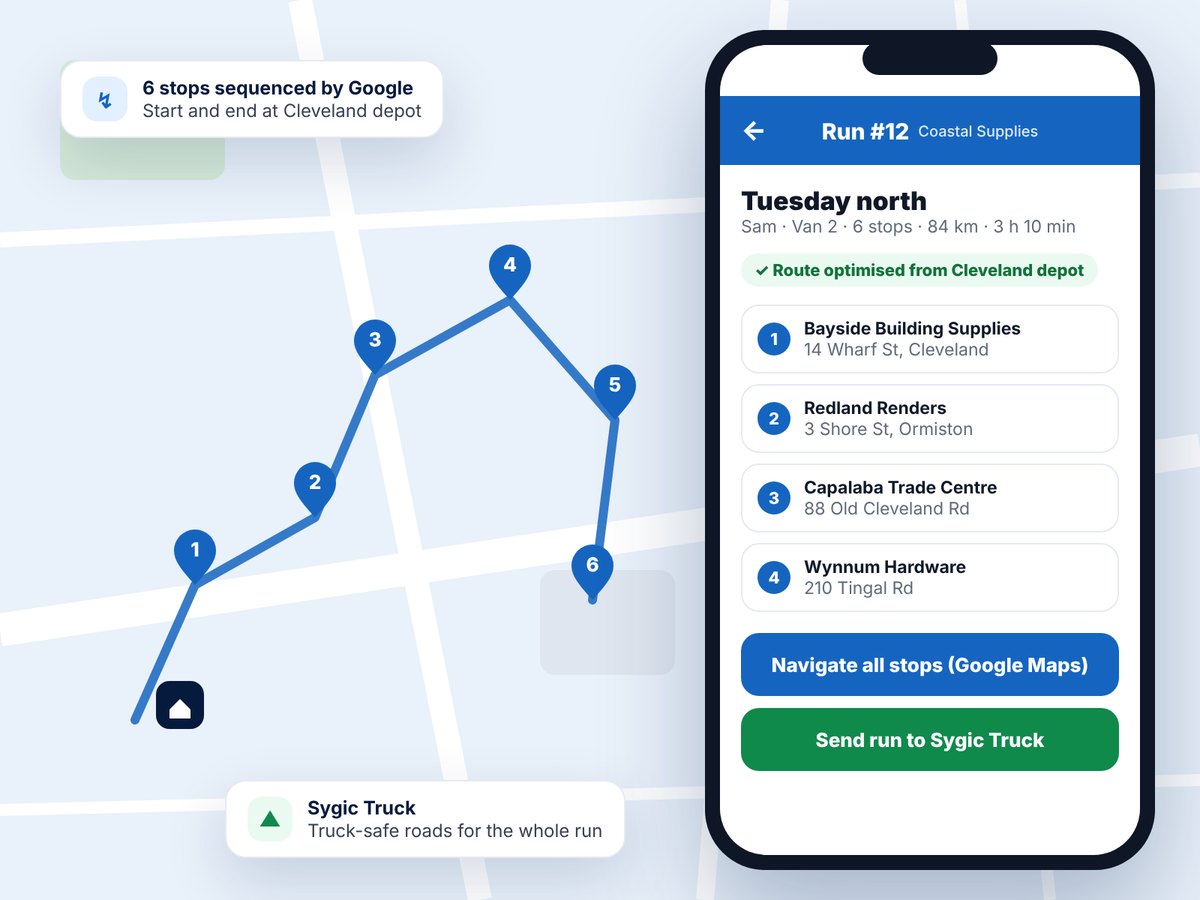
- Navigate to any stop, including pickup and drop stops, in Google Maps, or send the whole run to Sygic Truck on Android (Enterprise)
- Comments typed on the Cin7 sales order lines show under the product, so the driver sees "cut to 2.4 m" before handing it over
- Updates never reload the screen under a driver mid-delivery. They're offered when the driver is ready
Runs, routes and paperwork
All plansThe office builds the day's work in a few clicks and prints what the warehouse and the driver need.
- Create & Dispatch wizard: pick deliveries, driver, vehicle and date in one go
- Route optimisation with your Google Maps key, from a start depot to an end depot (Standard and up)
- Pickup stops on the same run: a supplier or branch to call at, or a Cin7 purchase order or stock transfer to collect and drop (see Pickups)
- Run sheet with a barcode for the run and for every order, so a scan opens the right job
- Bulk picking slip: every product once for the whole van, then a breakdown per stop
- Comments from the Cin7 sales order lines print on the run sheet and the picking slip
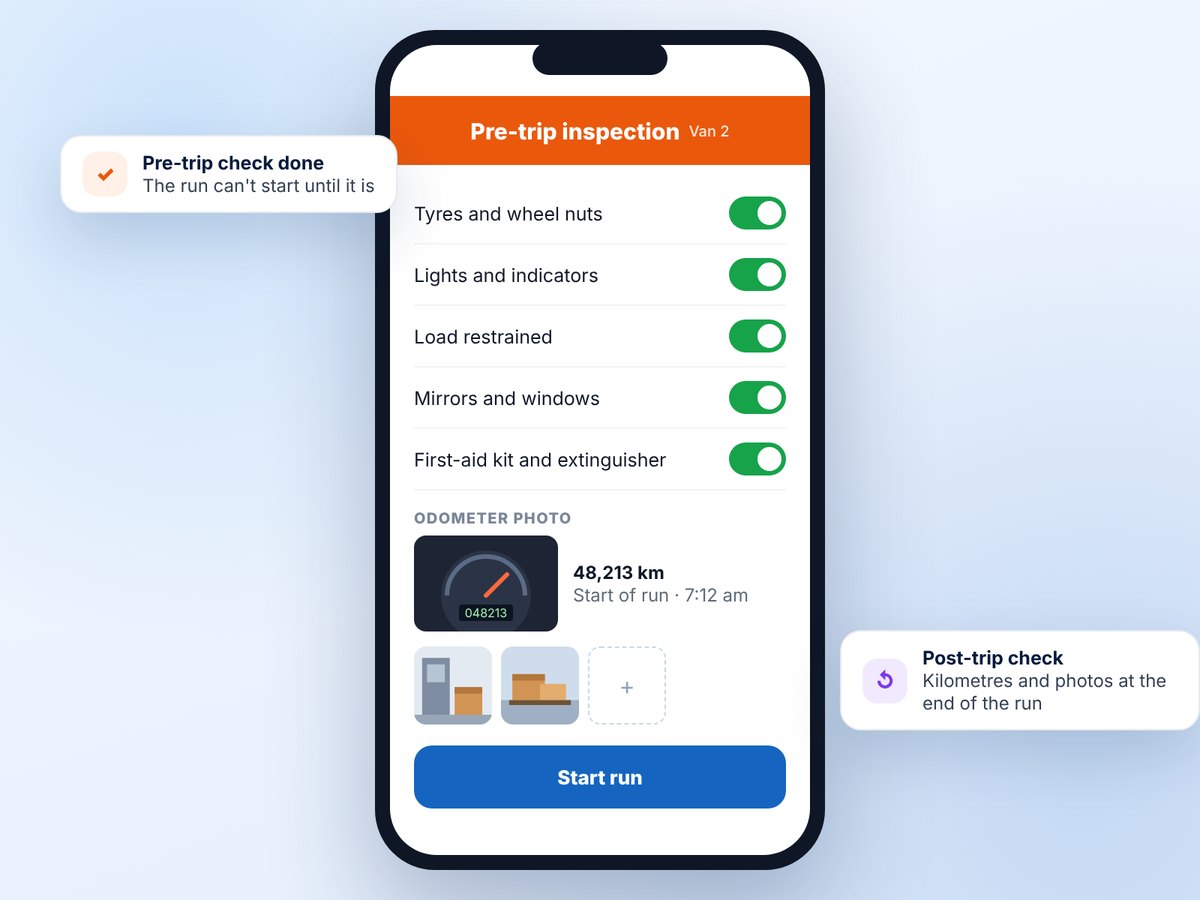
- Pre-trip vehicle checklist on every plan, post-trip on Enterprise, plus kilometres, run time and vehicle photos
- Bulk actions: assign, reschedule, change carrier or archive many deliveries at once
- Tidy the run list in bulk: archive, restore or delete runs from the card or grid view. A run that has started keeps its history, so it's archived instead
Pickups: purchase orders and transfers
NewEnterpriseAdd-on for StandardCollect stock from a supplier or another branch on the same run as your deliveries, and drop it where it's going, with the same proof as a delivery.
- Add a Cin7 purchase order or stock transfer by its number, or scan the printed document. The app brings in the lines, quantities, batches and line comments
- Put it on any run. The app adds the pickup stop and the drop: a branch, a customer already on the run, or back at the depot
- Optimise Route keeps every drop after its pickup
- The driver checks off each line, records anything short, damaged or wrong with a reason, and captures the name, signature and photos at the hand-over
- Short or missed pickups email the office straight away
- The Proof of Pickup PDF is attached to the Cin7 purchase order, and a one-line comment with a link to the proof goes on the PO or transfer
- Nothing is received or completed in Cin7 for you. Your team receives the PO or completes the transfer as usual, with the proof in front of them
- Included on Enterprise, or US$89 a month on Standard.
Cin7 Core sync and write-back
All plansCin7 POD connects with your own Cin7 Core API details and follows Cin7's rules, so your stock, fulfilments and accounts stay right.
What comes in
- Orders appear once they're picked, packed or shipped. You choose the stage
- One delivery per fulfilment, so a sale shipped in two goes is two deliveries
- Bring in every order, or only chosen customers or carriers. Orders with no carrier still come in, so nothing goes missing
- Optional delivery method field: pick one of your Cin7 additional attributes and the app sorts orders by it
- Automatic sync every five minutes, plus Sync Now
What goes back
- The proof, attached to the sales order: the signature and photos as the driver captures them, and the POD PDF when the delivery is done (the separate photo copies can be switched off)
- Fulfilment completed after delivery: off, clean deliveries only, or every outcome
- Credit notes for short or damaged lines, in Office mode (checked first) or Warehouse mode (straight to Cin7, Standard and up)
- The delivery outcome written to an additional attribute you choose
- Carrier and Ship-By changes made in the app, saved instantly and sent to Cin7 in the background
- With Pickups: the Proof of Pickup PDF on the purchase order, and a comment with a link on the PO or transfer
- If Cin7 refuses anything, its own message is shown on the order with a Try again button
Customer and courier collections
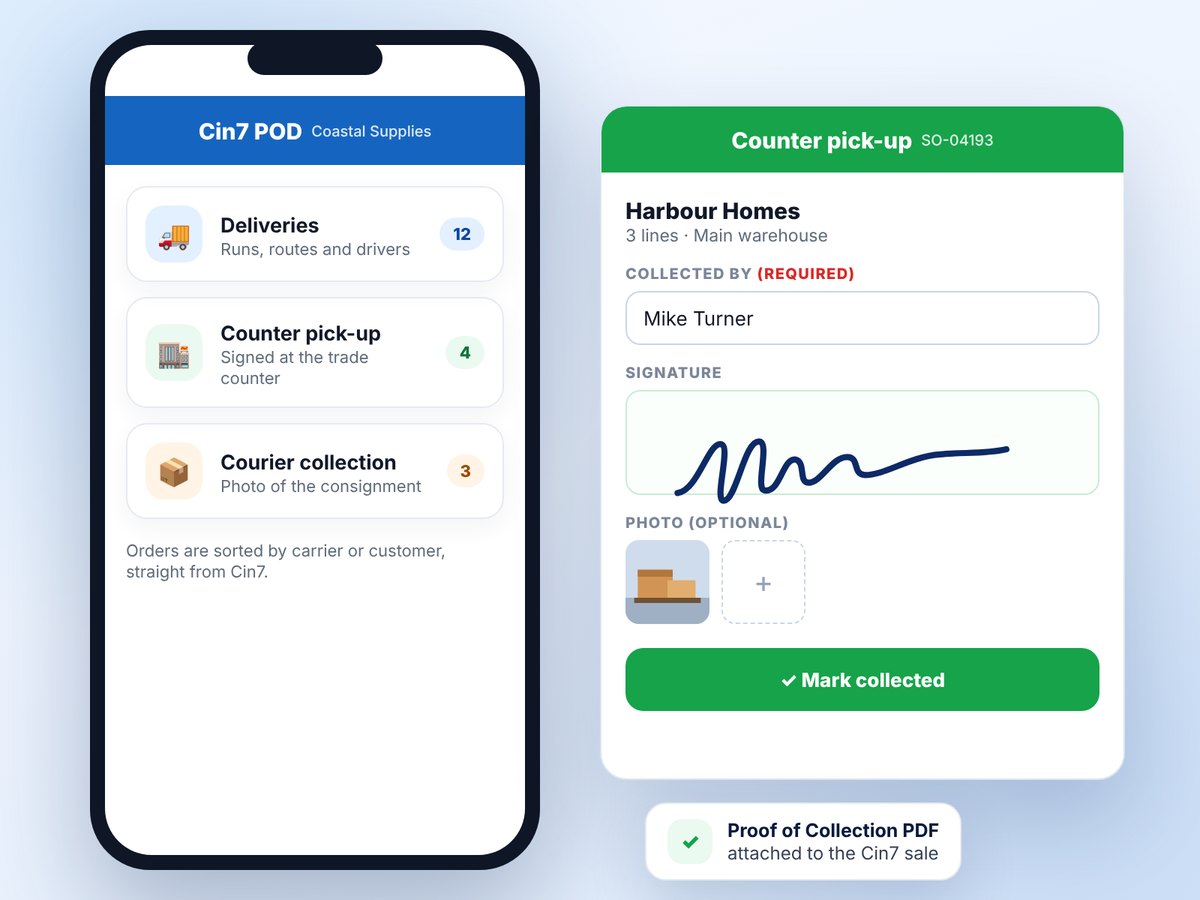
Standard and upExtra types as an add-onNot every order goes on a van. Counter pick-ups, yard collections and courier pick-ups get their own menu button and their own list, separate from deliveries.
- Sort orders into a type by carrier or customer
- Choose the proof per type: signature, photo, note or "collected by" name, each off, optional or mandatory
- Completed on any device at the counter. No runs or routing needed
- A "Proof of Collection" PDF on the Cin7 sale and a link for the customer
- Their own KPI tab, kept out of the driver figures
- Standard includes 1 extra type, Enterprise 3. More are US$39 a month each
Invoice on delivery
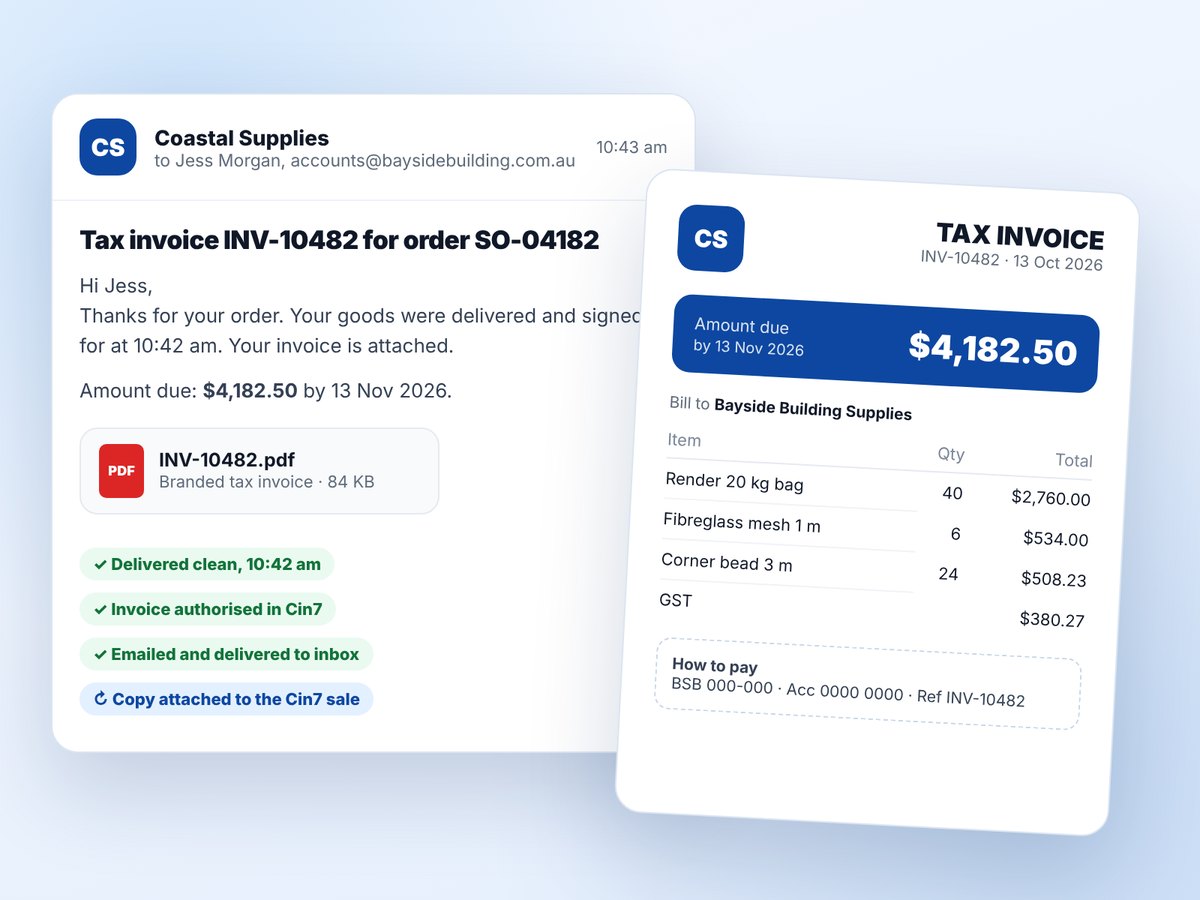
NewEnterpriseAdd-on for StandardYour customer gets the invoice the moment the goods are signed for, without anyone in the office lifting a finger.
- After a clean delivery, the app authorises the Cin7 invoice and emails a branded PDF, separate from the POD
- Every figure comes from Cin7's invoice. Nothing is recalculated
- Sent to the Cin7 invoice contact first. The driver can add extra addresses at the door
- Proof it went out: the PDF is attached to the Cin7 sale, with delivery and bounce tracking in the app
- Resend from the delivery, or send one after a partial once the office has authorised it
- Bank detail changes are logged and every admin is emailed, to protect against invoice fraud
- No Cin7 Automation module needed
Split orders
NewEnterpriseAdd-on for Growth and StandardSome sales leave in pieces: part with your own van, part with a courier, or from two warehouses.
- The app reads Cin7's pick and ship lines and creates one delivery per part
- Each part shows "Part 1 of 2" and which carrier it goes with
- Cin7 is updated once, when the last part is done, with the worst outcome across the parts
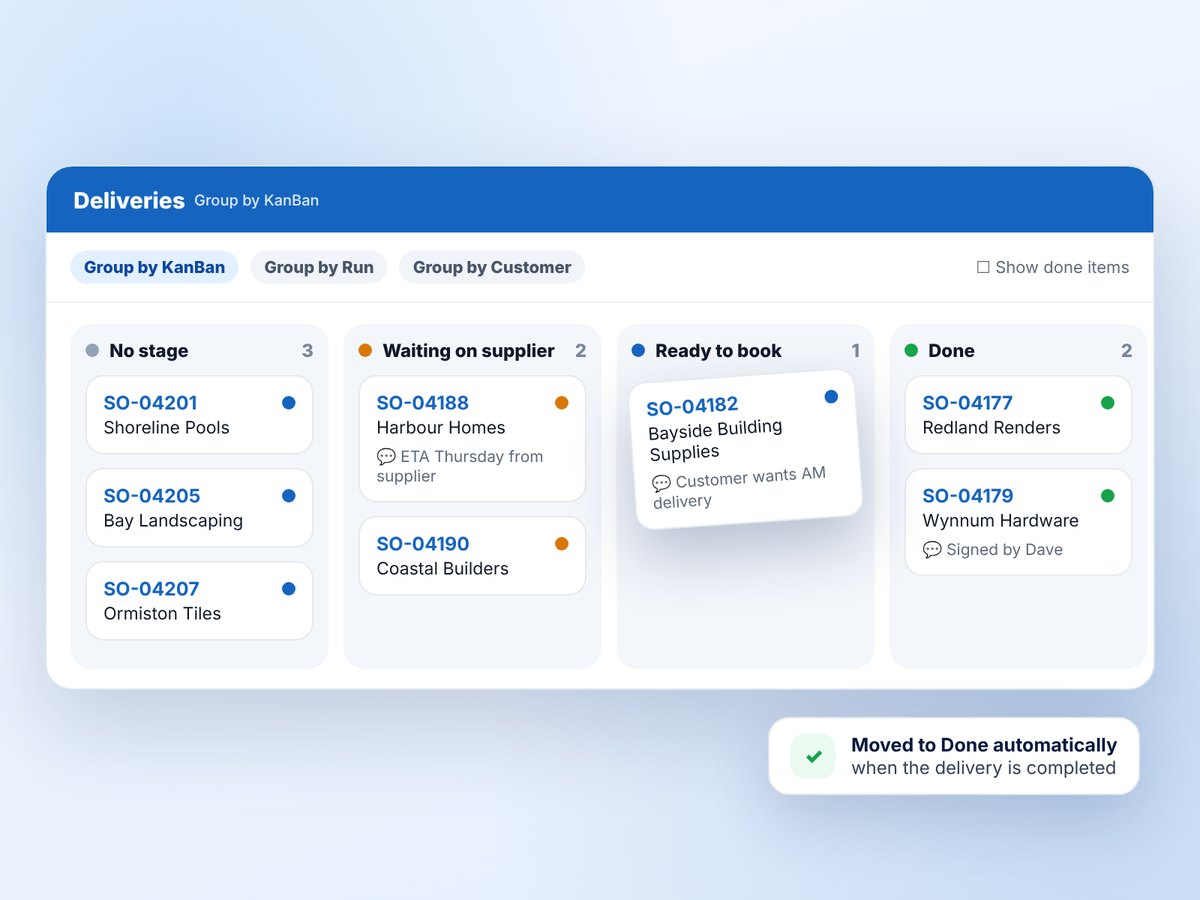
KanBan board
Growth and upAdd-on for StarterFor orders that need coordinating before they're ready to go, such as drop-shipped or oversized items.
- Your own stages, colours and "done" columns, one board for the whole company
- Drag cards on a computer, or use Move to on a phone
- Timestamped card notes and a full history of who moved what
- Cards move to Done automatically when the delivery is completed
- Switch the board off if you don't need it
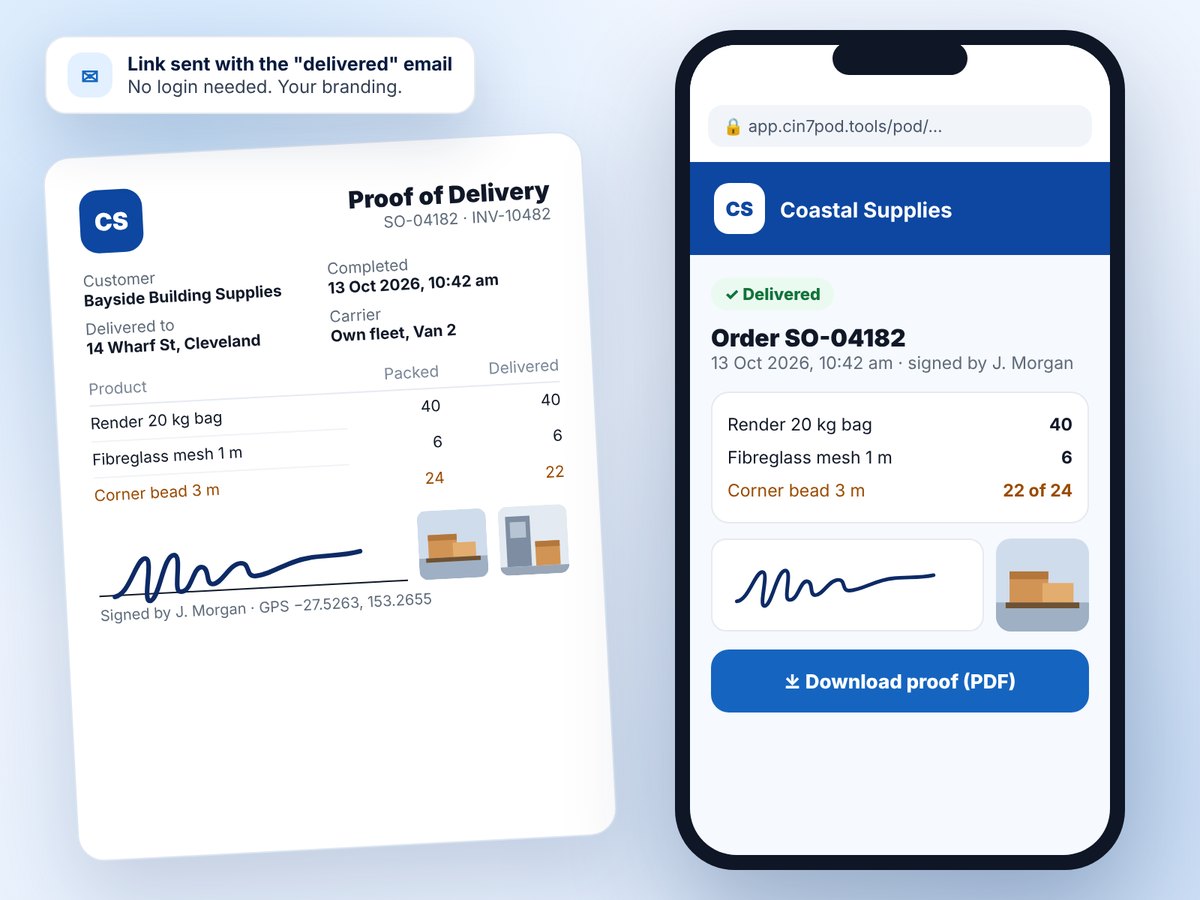
Customer messages and POD link
Email on Growth and upSMS on Enterprise- Out for delivery, delivered and failed messages, sent automatically or only when you choose
- Email is sent for you from notifications@cin7pod.tools with your business name. Replies go to your own inbox
- SMS through your own Twilio account (Enterprise)
- Every completed delivery gets a secure web page with the status, items, signature, photos and a PDF download, in your branding
- A sent log with resend for every email and SMS
KPI reports
All plans- On-time delivery, first-attempt success and delivery success rates
- Average and median time from order to door
- Proof completeness: signature, photo and GPS captured
- Exception rate: failures, shortfalls and stops left undelivered
- Driver performance table, filtered by date, warehouse or driver
- Export to Excel, with every job included
Your data and security
All plans- Each company's data is kept separate, and every file is served through a signed link that expires
- Roles for admin, office, warehouse and driver, with a change history for users
- Copy PODs, signatures and photos to your own Google Drive, SFTP or FTP server
- Run the app on your own address, such as pod.yourcompany.com
- Your data stays yours
See it with your own Cin7 orders.
Start a 14-day free trial and connect your Cin7 Core account in a few minutes, or request a 30-minute walkthrough and we'll set it up with you.